The Hipobuy Finds Spreadsheet catalogue, shelf by shelf
Sixteen illustrated categories; a find is half a decision, because once you hold the link you still choose who pays the seller.
Sixteen categories with picture cards
Each card opens the matching product list. The cards are grouped in our own order, not by popularity.
 T-shirtsPocket, plain and print teesCategory
 JeansEvery cut, worn washes includedCategory
 HatsWashed caps and knit beaniesCategory
 OuterwearQuilted, padded and shell layersCategory
 JewelleryRings, chains and earringsCategory
 SweatpantsFleece and track bottomsCategory
 WomenswearA keyword search, not a shelfSearch results
 SneakersRunners and everyday pairsCategory
 BagsTotes, clutches and backpacksCategory
 HoodiesZip and pullover hoodiesCategory
 Sports jerseysConfirm team, season, size and any personalisation.Category
 BeltsCheck usable length and buckle dimensions.Category
 EyewearConfirm frame width, lenses and included case.Category
 PerfumeConfirm liquid acceptance before paying.Category
 WatchesCheck case size, movement and battery restrictions.Category
 ElectronicsConfirm model, voltage, battery and route acceptance.Category
Watches, eyewear, belts, perfume, electronics and sports jerseys now have illustrated entries above. Check dimensions, materials and any transport restrictions on the actual listing before buying.
What the finds catalogue is, and what it is not
A finds catalogue collects picks you can browse by category, each pointing at a product a seller lists on a Chinese marketplace. Think of it as a shop window with no till: the prices, stock and photos belong to the seller, and nothing is bought by clicking a card.
This one is attached to a single agent, Hipobuy, and to a single question: once you have found the item, do you let Hipobuy buy it, or do you buy it yourself and use Hipobuy only to ship it? The catalogue is the same either way. The paperwork is not.
It is not Hipobuy's own shop, it does not grade products, and it does not keep a price history. A listing can change or disappear after you see it, so check the seller's page on the day you order.
From a card to a link Hipobuy can read
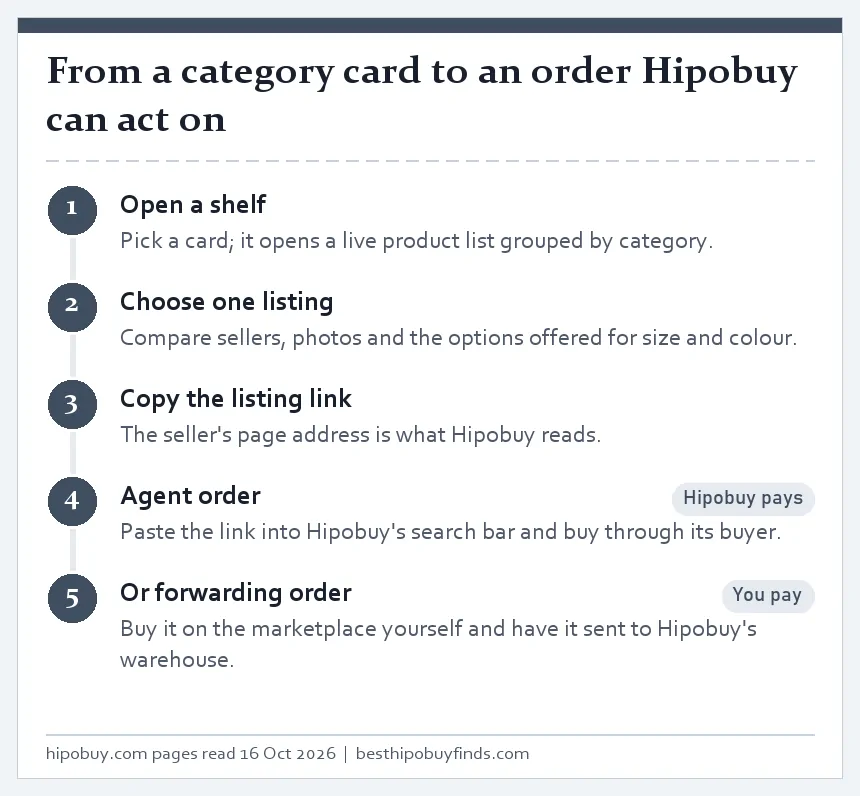
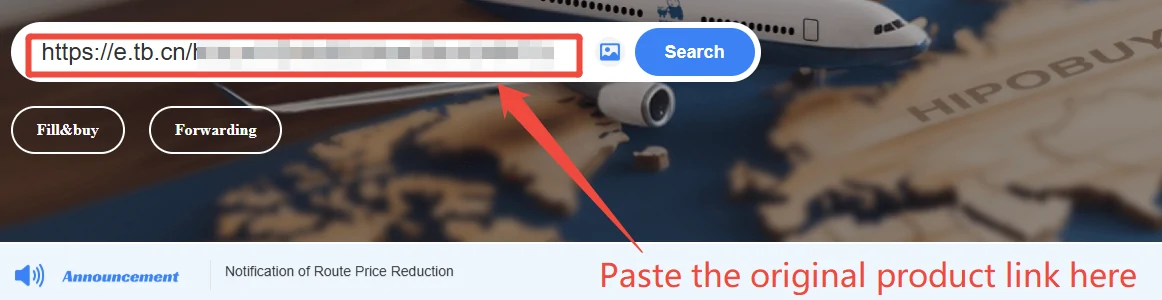
Hipobuy's search bar accepts a product link, a product name or a Hipobuy order number. For listings on Taobao, 1688 and Weidian, pasting the link opens the item inside Hipobuy, where you choose the colour, size and quantity and leave a message for the buyer.
Listings the search bar cannot read, such as pages on Goofish (Xianyu), go through Hipobuy's Fill and Buy form instead: you type the link, product name, specifications, price and the seller's shipping fee yourself. That is still an agent order.
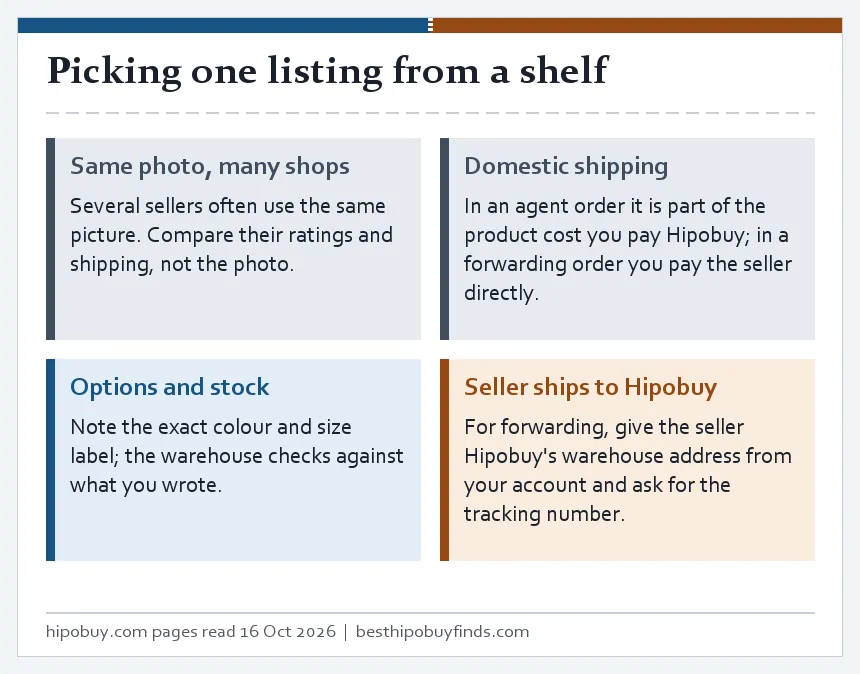
If you would rather buy the item in your own marketplace account, keep the link for your own reference. Your forwarding order will not contain it: Hipobuy only asks for the courier's tracking number when the seller ships to its warehouse.
Example: a jacket found in two shops
Suppose two cards show the same jacket but different prices. Open both seller listings and select the same colour and size before comparing. Check whether the material, lining, measurements and included pieces match. Save the original URLs and option text; a shared photograph is not evidence of a shared supplier. A category page helps you discover candidates, whereas the seller page supplies the purchase instructions.
Then decide who will actually buy. If you want Hipobuy to purchase, submit the product as an agent order. If you already bought it yourself, follow the forwarding process and provide the incoming parcel reference. Creating both requests for the same purchase can create confusion. A find is ready to order when the seller, variant, quantity and buying route are all clear.
Judging a finds site before you trust its links
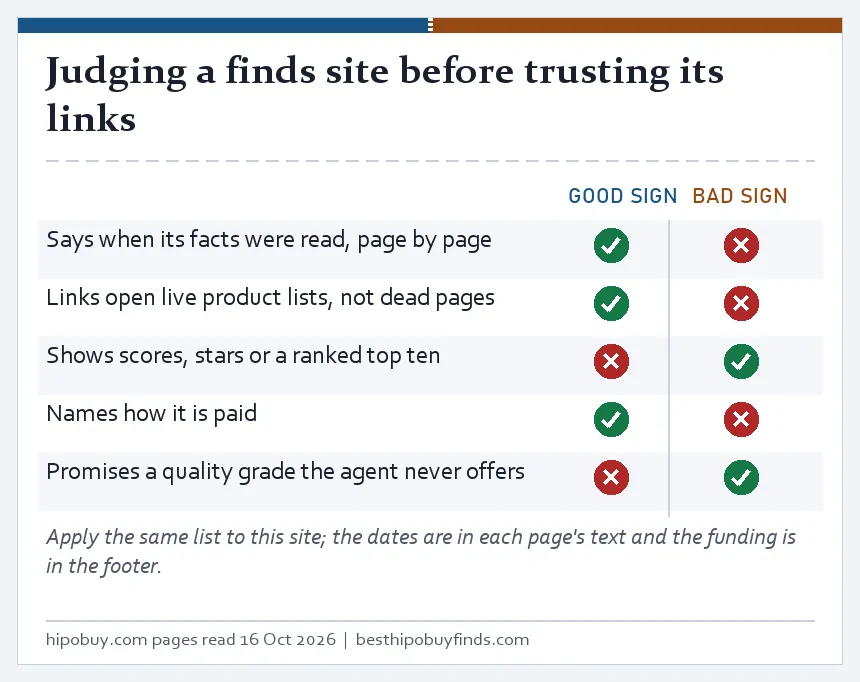
Here is how to judge a spreadsheet site before you rely on it: look for things that can be checked. A good one dates its facts, keeps its links pointing at live product lists, and says how it earns money. A poor one shows star ratings it cannot source, ranks agents without data, or promises a quality grade that no agent offers.
Hipobuy itself does not authenticate products: its Search Terms say so in one sentence. Any site that tells you a listing is guaranteed genuine is claiming more than the agent does.
Why this site: it does one job, keeping the two order types apart, and it writes down the date each Hipobuy page was read. If a link here has died or a rule has moved, the correction address is in the footer.
Picking one listing from a shelf
Category lists often show the same photo from several shops. Compare the sellers rather than the picture: rating, how long they have traded, the domestic shipping they charge to a Chinese address, and whether they take payment through the marketplace's escrow.
Write down the exact option names, colour and size as the listing shows them. For an agent order you pick them on the Hipobuy item page; the warehouse checks colour and size against your choice and your remark. For a forwarding order nobody at Hipobuy knows what you ordered unless you list it yourself.
Seller and listing checks goes further, with the risks Hipobuy lists for deposit orders, custom-made items and sellers with low credit.